
An air alarm shouldn't mean losing customers

During an air alert, some operators may be unavailable or in cover. As a result, customers may wait longer on the line, not receive an answer, or call back later.
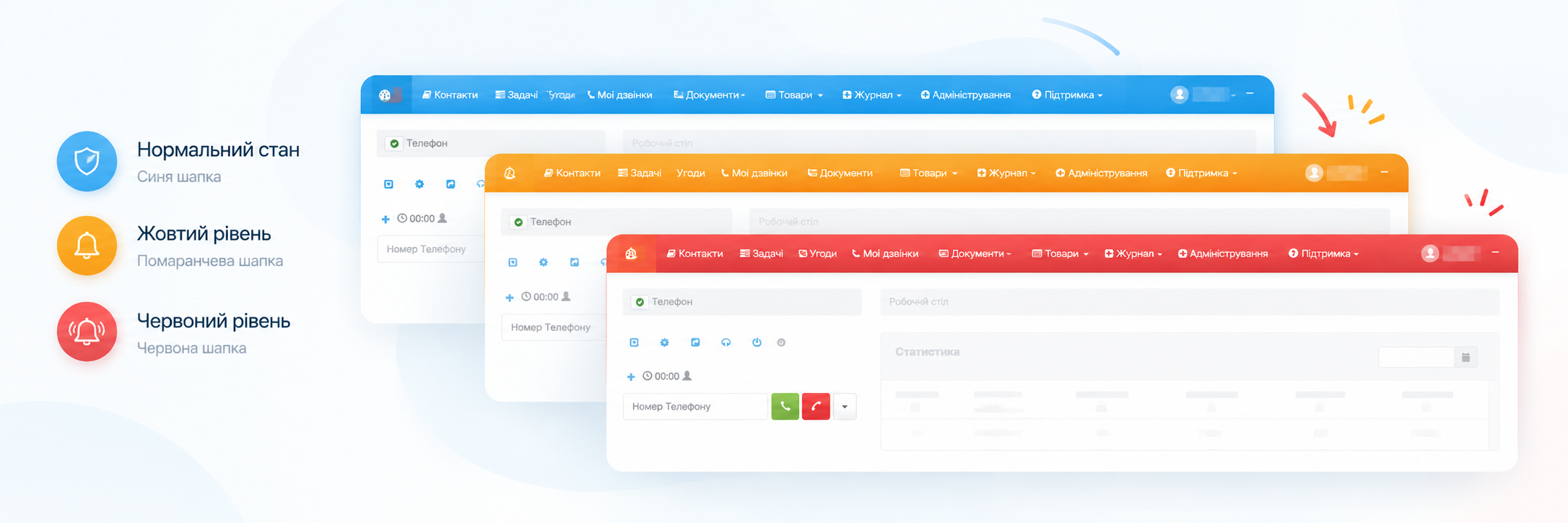
In LiraX, you can automatically change the call handling scenario depending on the current air alert level.
How it works

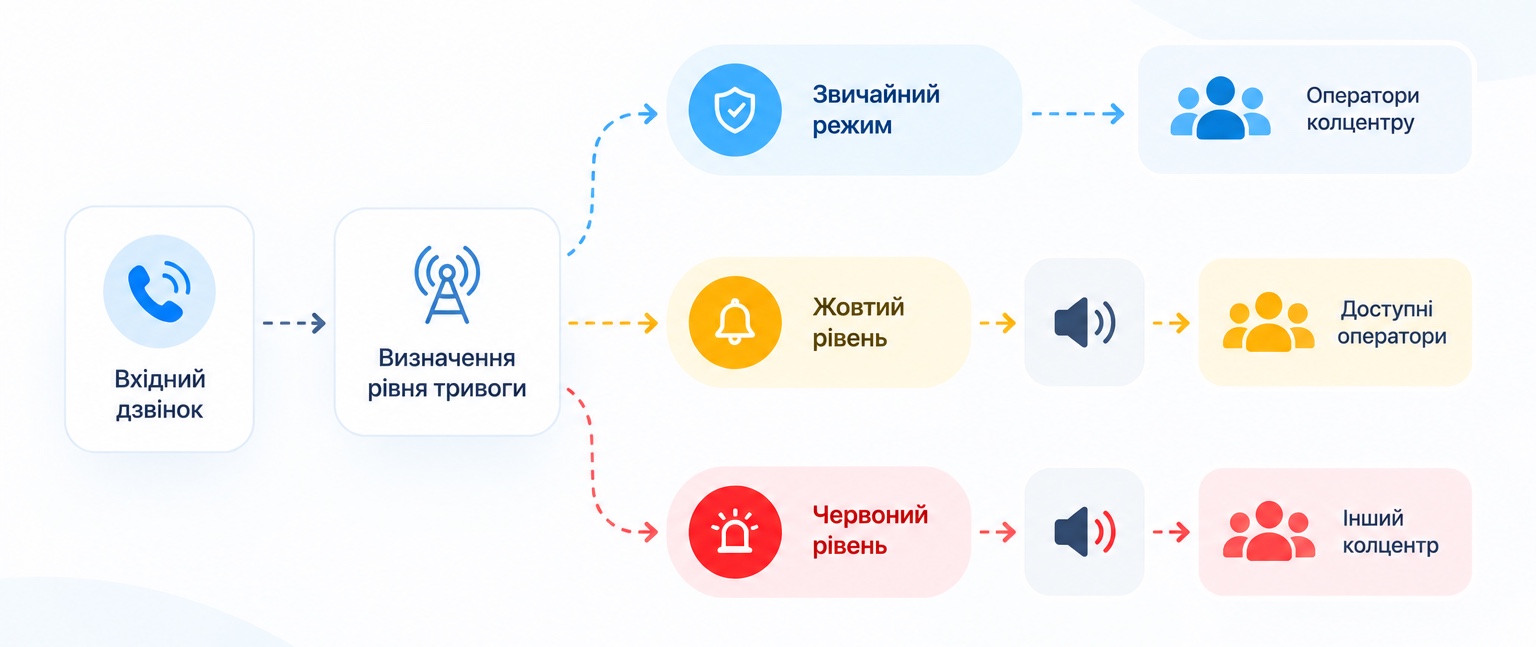
For a call center, you can set up a separate route for each level:

🔵 Normal mode
Calls work according to the standard call center route.

🟡 Yellow level
You can use a separate route — for example, warn the client that some operators may be unavailable, and then direct the call to available operators.

🔴 Red level
You can completely change the scenario: inform the client that the operators are in hiding and will call back later, or redirect the call to another call center.

Example of use

Let's imagine a company with call centers in Kyiv and Lviv.

In normal mode, calls are received by operators of the Kyiv call center.

If a yellow level is declared in Kyiv, the client first receives a warning about a possible increase in waiting time.

At the red level, calls can be automatically redirected to the Lviv call center if there is no air alarm there.

This way, the client does not need to call again, and the company continues to accept calls even when some operators are temporarily unavailable.

What does this do for business?

- Fewer missed calls — calls are not lost due to temporary unavailability of operators.
- Automatic alarm response — no need to manually switch routes every time.
- Informing customers — the person understands why the wait time has changed or why they will be called back later.
- Flexible call forwarding — the load can be transferred to another call center.

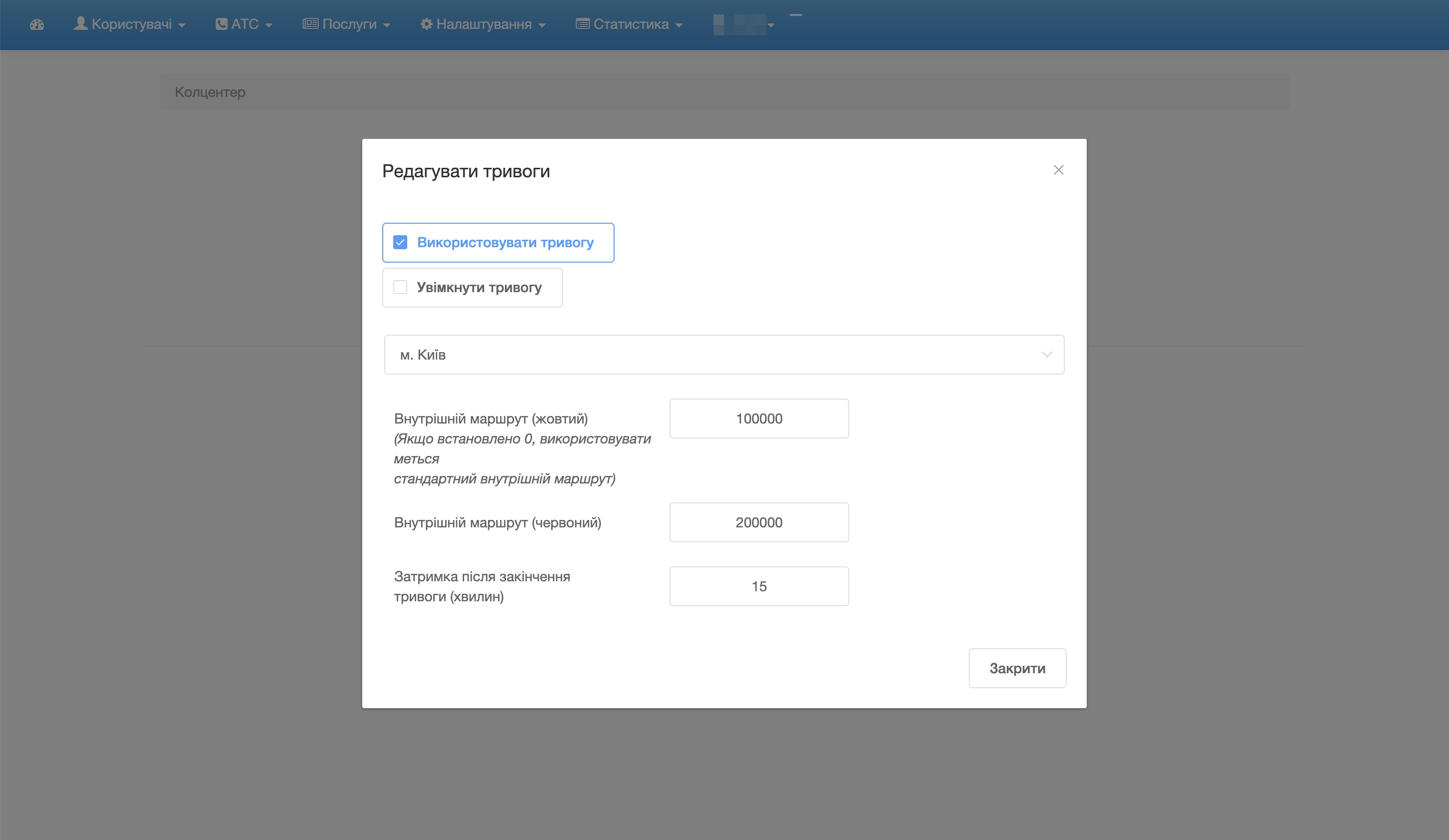
How to set up

The settings are located in:

Administration → Settings → Call Center

Open the desired call center for editing and go to the air alarm settings.

Separate internal routes can be specified for yellow and red levels.

If a separate route for the yellow level is not specified, the standard internal call center route is used.

The call center adapts automatically

Once configured, the system does not need to manually specify which scenario to use each time the alarm level changes.

LiraX automatically uses the appropriate route, and after the alarm is over, the call center returns to the standard operating scenario.

This helps businesses stay connected with customers while also considering operator safety.

Need a consultation?

Leave a request and we will help you choose a LiraX solution for your business.