Chrome Extension

Telephony integration directly in the browser

Chrome Extension LiraX helps agents call from web pages, find phone numbers, open customer cards, transmit call context, and integrate telephony even with products that don't have an API. Allows you to make and receive phone calls directly from the browser, without using a physical phone. The extension integrates with LiraCRM, provides speed dialing, incoming call handling, call history, and call forwarding support.

What is Chrome Extension used for?

Click-to-call

The operator sees the phone number in the CRM, on the website or in the internal web system and initiates the call with one click without manually copying the number.

Integration without API

If a third-party product does not have an API or its API is limited, a Chrome Extension can provide practical integration at the browser level.

Picking up a customer card

When making a call, you can open the desired page, client card, application, or other object in the external system.

Context transfer

The extension can transmit information to LiraX about the page, number, client, source of the request, or the system from which the operator performs the action.

Rapid implementation

Some integrations can be launched faster than a full server-side API integration, especially for legacy systems or closed web products.

Fewer operator errors

The operator does not need to manually copy numbers, search for customer cards, or transfer some information between systems.

Usage options

CRM systems

Chrome Extension can be used for calls from CRM, opening a customer card, transferring the number, and capturing the context of the call.

Medical systems

For medical systems, the extension can help call patients, open the desired card, or work with appointment bookings.

Internal corporate systems

If a company has its own web office or internal system without an API, an extension can add phone actions without completely rebuilding the product.

Websites and application forms

The extension can help the operator work with phone numbers that appear on websites, in applications, or administrative panels.

Products without telephony support

If a third-party product does not have its own telephony, the Chrome Extension allows you to add calls via LiraX without changing the product itself.

Temporary solution before API integration

Chrome Extension can be used as a quick start, and later replaced or supplemented with full API integration.

Standard and extended version

Chrome Web Store version

The standard extension can be used for typical telephony integration scenarios with web systems.

Extended version from the LiraX website

For more complex scenarios, an advanced version of the Chrome Extension can be used, which can be downloaded from the LiraX website.

Adaptation to the customer's system

If necessary, the extension logic can be adapted to a specific web product, page structure, number search rules, and required operator actions.

Chrome Extension

Explanation of basic functions
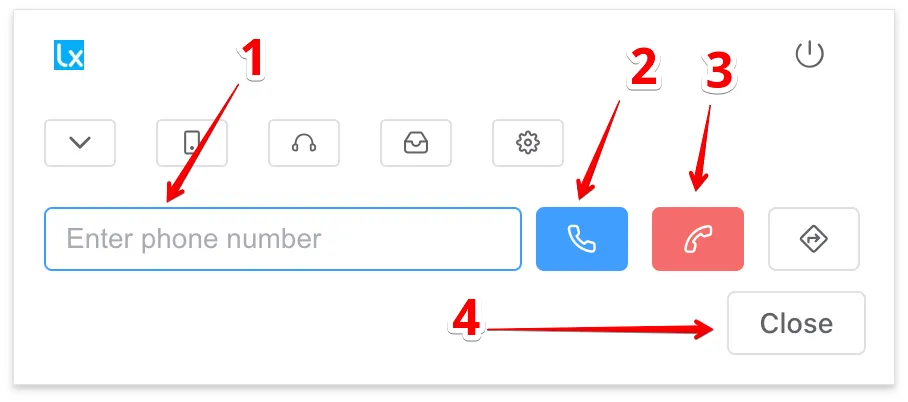
Explain Interface
1 - Phone number field
2 - Call button (if the phone number field is empty, the last number will be automatically inserted)
3 - Button to hang up the phone
4 - Close popup window
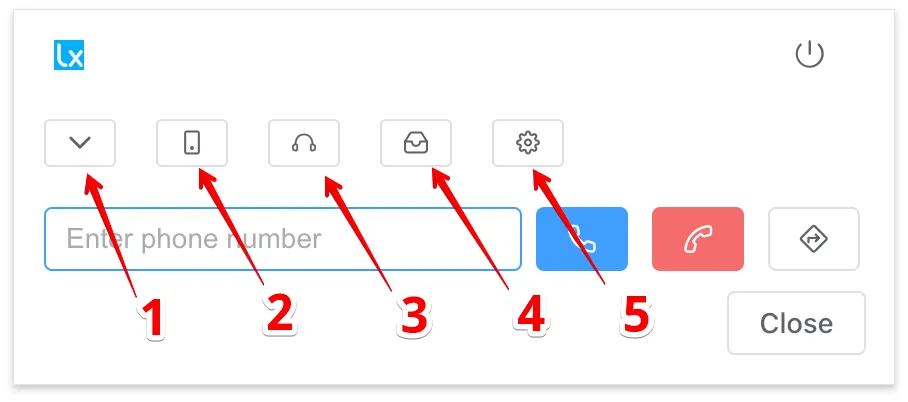
Explain Interface
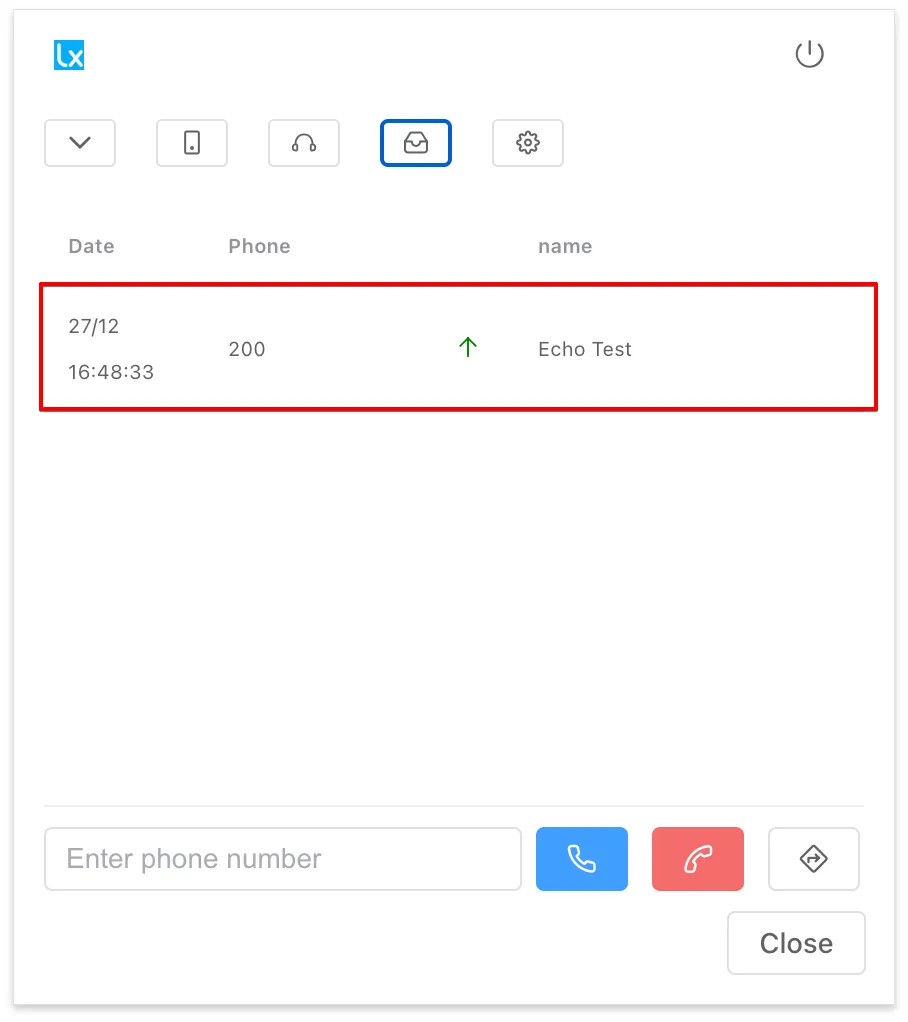
1 - Numeric keypad
2 - External line
3 - Automatic answer to incoming calls (4-second delay)
4 - Call history
5 - Settings

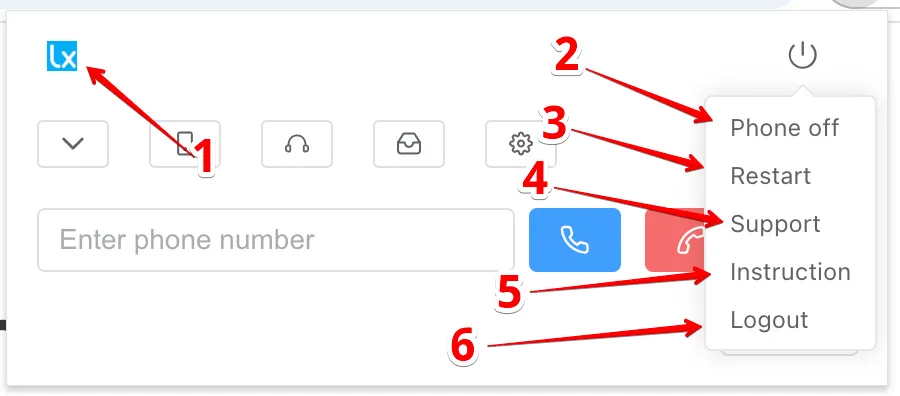
Explain Interface
1 - Open LiraCRM page
2 - Turn off phone (closes system window and mutes calls)
3 - Reload extension
4 - Call LiraX support
5 - Instruction
6 - Exit Chrome extension

Explain Interface
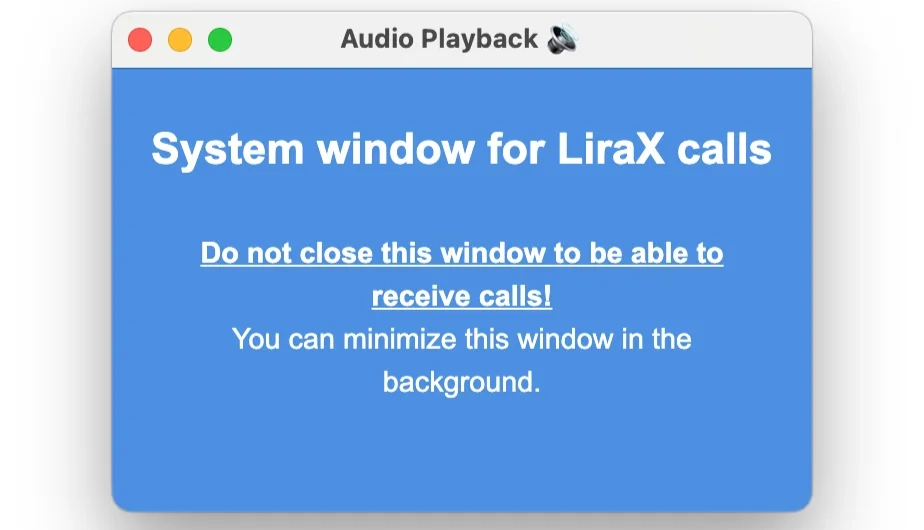
System window for making calls via Chrome extension

Explain Interface
Clicking on a line initiates a call to the selected number.

Explain Interface
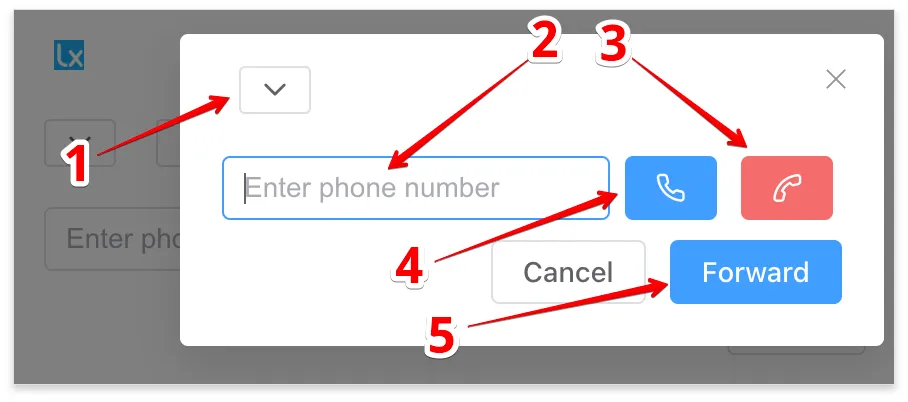
1 - Call history for this line.
2 - Phone number input field (line 2).
3 - Button for making a call.
4 - Ending the call.
5 - Call forwarding from the main line to the current line.

Explain Interface
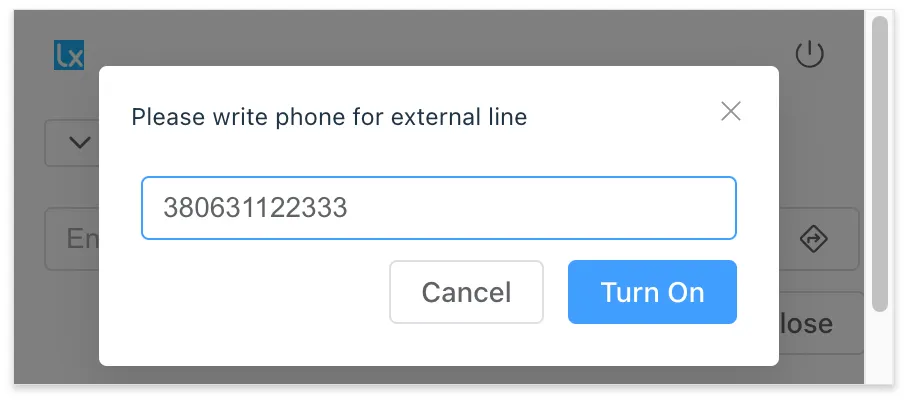
Enable call forwarding to an outside line while maintaining control of the call at the original extension number

Outgoing call

Incoming call with notifications

Call forwarding

Enable call forwarding to an outside line while maintaining control of the call at the original extension number

Additional material

Download Chrome Extension

Chrome Web Store

The standard version of the Chrome Extension can be installed from the Chrome Web Store.

Install from Chrome Web Store

Extended version

An advanced version of the Chrome Extension for more complex integration scenarios with web systems and products without APIs. Additional information...

Download ZIP

How integration is implemented via Chrome Extension

01

Analyzing the web system

Let's see where on the pages there are phone numbers, customer cards, applications, buttons, statuses, and other necessary elements.

02

Setting up the script

We determine what the extension should do: initiate a call, open a card, pass context, search for a number, or perform additional actions.

03

Connecting to LiraX

We link browser actions with LiraX telephony, CRM, Call Center, or other platform modules.

Need integration via Chrome Extension?

Leave a request and write with which web system you need to integrate LiraX telephony. We will assess whether the scenario can be implemented via Chrome Extension.