LiraX Phone update: shared contacts and flexible operator status management

LiraX Phone Chrome Extension has received new opportunities for organizing the work of operators. Now you can create common groups of selected contacts, form personal lists for quick calls, and configure operator statuses according to the needs of the company.

We'll tell you how these updates will help make your daily calling experience more convenient.
📞 Shared groups of selected contacts

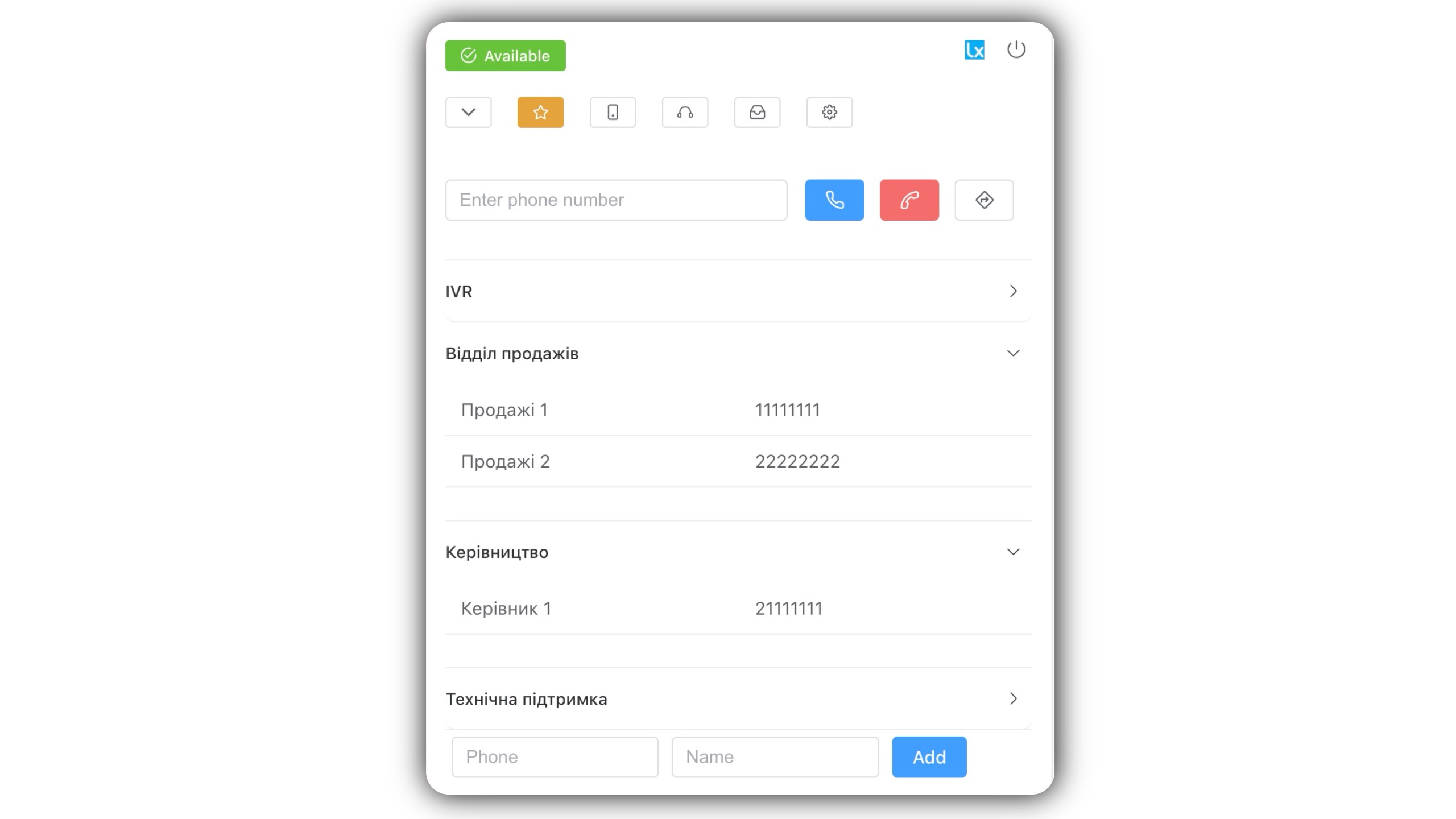
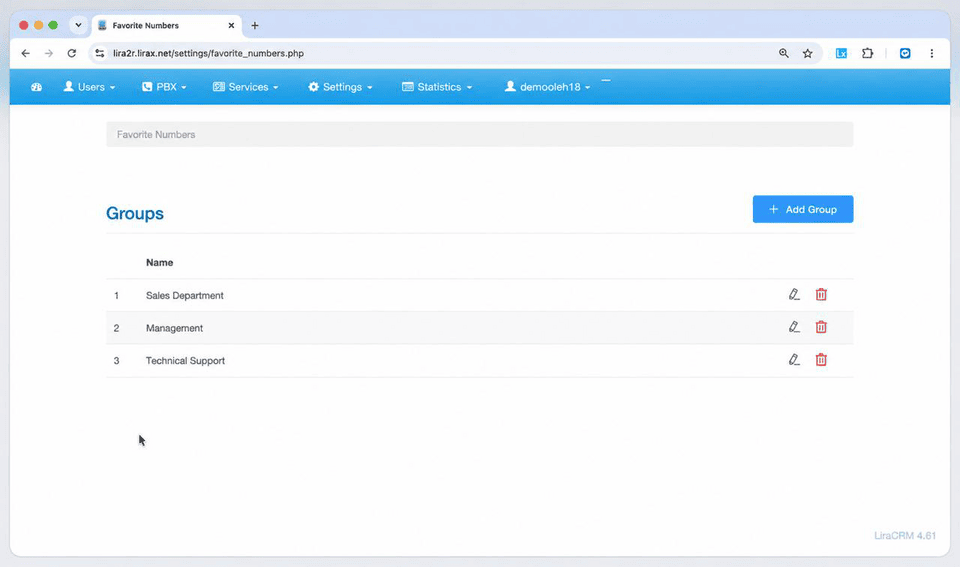
LiraX Phone now has the ability to createshared groups of selected contacts, available to all company operators.

This is convenient when several employees regularly call the same people or departments.

For example, you can create separate groups:

- Sales department— contacts of managers and responsible employees.
- Leadership— numbers of department heads and responsible persons.
- Technical support— contacts of specialists for quick communication.
- Partners— numbers of the main representatives of partner companies.

You can add a few numbers to a group, or hundreds or even thousands of contacts. However, for quick access, it is most convenient to usesmall thematic groups - approximately up to 20 rooms.

Thanks to shared groups, operators do not need to create identical contact lists separately.

⭐ Personal favorite contacts

In addition to common groups, each operator can formyour own list of favorite contacts.

This allows you to save the numbers needed by a specific employee and quickly find them without having to search again.

Personal lists are especially useful for managers who regularly work with certain clients or partners.

Thus, in LiraX Phone you can combinecommon company contacts and personal contacts of each operator.

🟢 Advanced operator statuses

Another update concerns operator availability management.

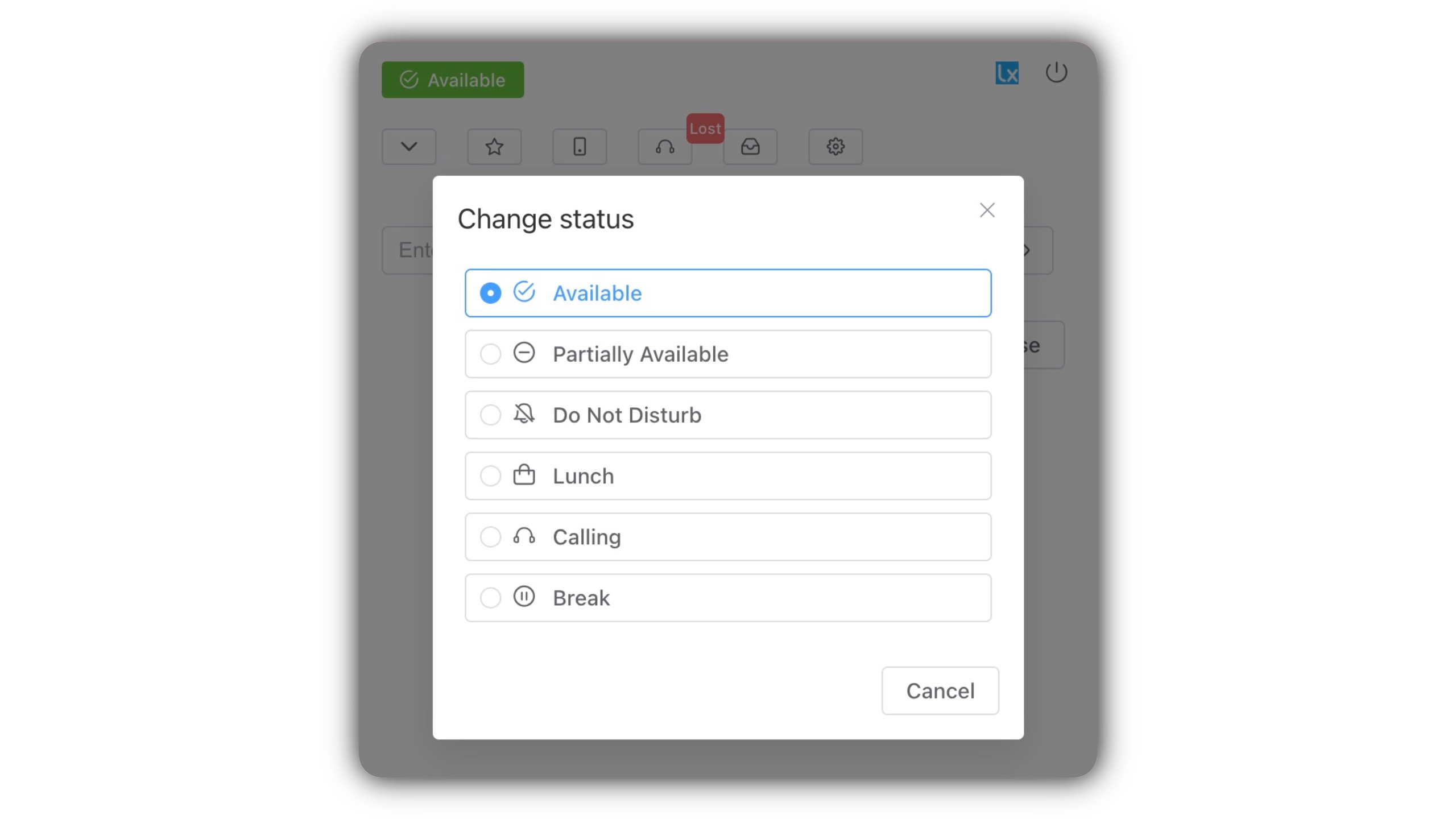
LiraX Phone provides six main statuses, which allow you to display the current status of the employee:
StatusDescription
Available — AvailableThe operator is available to work and take calls.
Partially Available — Partially availableThe operator has limited availability.
Do Not Disturb — Do not disturbThe operator is not receiving incoming calls.
Lunch — DinnerThe operator is on lunch break.
Calling — CallsThe operator works with making calls, for example, as part of a call-back campaign.
Break — BreakThe operator has temporarily gone on a break.

The operator can select the desired status directly in the Chrome Extension interface.

This helps to reflect the current availability of employees and better organize the team's work.

⚙️ Individual statuses for each company

The workflows of different companies are different. That is why LiraX Phone provides the ability toconfigure your own set of statuses for each LiraCRM account.

For example, a company can use separate statuses for customer service, internal tasks, breaks, or automated callbacks.

This allows you to adapt the system to the specifics of a particular team's work, without being limited to a standard set of statuses.

🚀 Advantages of new LiraX Phone features

New features of LiraX Phone help:

- Make calls fasterthanks to selected contacts.
- Organize sharing to important numbers for the entire team.
- Personalize your work environmentof each operator.
- Easier to manage statusesand employee availability.
- Adapt workflowsto the needs of a specific company.

How to start using?

New features are available inLiraX Phone Chrome Extension.

You can learn more about working with the extension and its capabilities at the following links:

📘LiraX Phone Chrome Extension User Guide

🌐LiraX Phone Chrome Extension on the official website

LiraX Phone continues to evolve to make daily call handling easier, faster, and more convenient for every operator.

Need a consultation?

Leave a request and we will help you choose a LiraX solution for your business.